Preflight
Get ready together before the flight starts, so you all start in sync.
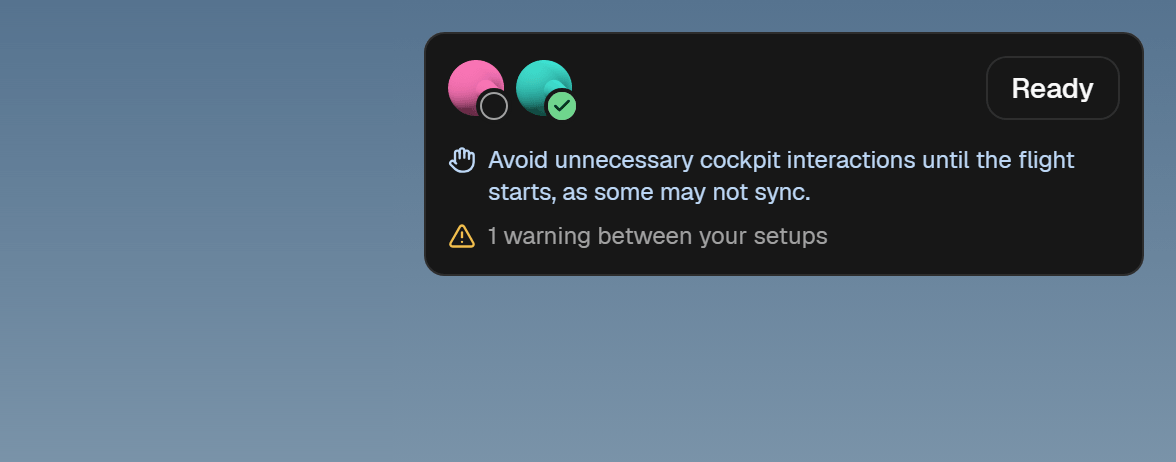
Preflight holds every aircraft still and doesn't sync your cockpits yet, so each crew member can align their setup before the flight starts.
When everyone has selected Ready, a 3s countdown runs, and then the flight and sync start. Dual Input then applies the 's current cockpit state to every other crew member.
Can't select Ready yet?
Ready becomes available once your aircraft has , about 30s after you select Ready to fly in the sim. Until then, the aircraft is still moving its own switches as it restores its saved state, and Dual Input would take those moves for yours.
Go without

If a crew member drops out during preflight, such as by losing their connection, you can Go without them. When they get into the flight later, Dual Input will bring them into sync as best it can, as Catching up explains.
If it's the pilot flying who dropped out, the crew has to wait for them, or leave the session and start a new one.
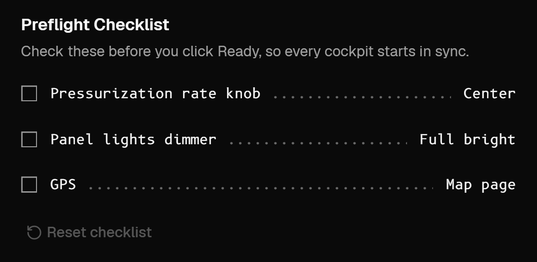
Preflight checklist
authors can add a checklist of things to set before the flight starts. Dual Input also adds some items itself, based on what the profile uses.
Differences between setups
Preflight also lists how your setups differ, though none of them stops you from flying. Here's every difference it can show.
Aircraft versions differ
Some controls may not sync between two versions. If you can, get the same version on both PCs.
A streamed copy of the aircraft keeps no version Dual Input can read
This shows up when one of you streams the aircraft instead of installing it. A streamed copy has no version for Dual Input to read, so it can't tell whether your versions match. You might want to compare them yourselves.
Aircraft copies come from different places
For example, one of you has the aircraft in the Community folder and the other from the Marketplace. Two stores can sell the same version with different files inside, so if something behaves oddly, this may be why.
Aircraft copies come from different packages
Your copies are installed in the same place, but in packages with different names. You may be flying different aircraft, or one of you may have this one from another source.
Liveries differ
In some aircraft, a livery changes more than the paint, so if something behaves oddly, this may be why.
No profile for this aircraft
Your cockpits won't sync, but you can still fly together. Flying without a profile says what still works.
Your PC couldn't download this aircraft's profile
Dual Input downloads profiles each time the sim starts, so check your internet connection and restart the sim.
James's sim is on 2 March
Your sims are on different dates. Dual Input doesn't sync the date, so set it in your own sim. The warning updates the next time one of you enters the flight.
James's sim is 20 minutes ahead of yours
Your sims' clocks are more than 10 minutes apart. Dual Input doesn't sync the time, so set it in your own sim. The warning updates the next time one of you enters the flight.
Figures won't be able to interact with the cockpit
Dual Input can't read the aircraft's model files on one or more of your PCs, so the figures of the pilots on those PCs won't interact with the cockpit. This is typical of Marketplace aircraft, whose files are often encrypted.
When preflight is skipped
Preflight comes once, at a session's start, and there's none in two cases:
- The pilot flying is already in the air when the session starts. The flight starts at once, since an aircraft the sim holds still in the air keeps gaining speed, and the rest of the crew joins it as they arrive.
- A pilot joins after the flight has started. Dual Input puts their aircraft at the pilot flying's and brings their cockpit in step, as Catching up explains.