Direct vs. Relay
How your PC connects to your crew.
Dual Input connects your PC to each crew member's in one of two modes, Direct or Relay. Direct means your PCs reach each other straight over the internet. Relay means they go through one of our . That happens when a direct connection can't be made.
Each crew member's row on the shows which, with the round trip: the time a message takes to reach their PC and come back.

Why direct is better
Everything works the same over both, but a direct connection is faster, since messages go straight between your PCs rather than through a relay.
Why a connection goes through a relay
A connection goes through a when:
-
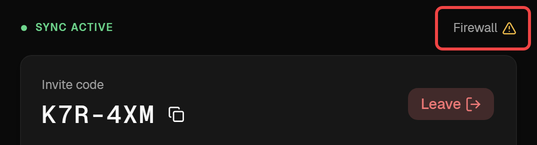
Windows Firewall is blocking Dual Input on one of your PCs. On that PC, select Firewall in the , then Fix.
-
A direct connection stops working. Dual Input moves it to a relay within about 2s, and your session carries on. Once the direct way works again, the connection moves back within about a minute.
-
Your routers or internet providers don't let your PCs reach each other directly, as If you're always on Relay explains.
If you're always on Relay
Most home routers block everything from the internet except replies to what your PC sent out. So to connect directly, both PCs send to each other at the same moment, and each router takes the other PC's packets for replies and lets them in. This is called hole punching, and some networks don't let it through.
If neither PC's header shows the Firewall warning, check these on both PCs, since either network can force you onto a relay:
- Another firewall, or a VPN. A security suite with its own firewall can block Dual Input even when Windows Firewall allows it, so allow Dual Input there too. A VPN can also keep your PCs from reaching each other directly, so try turning it off while you fly.
- UPnP, turned off on your router. Some routers give each destination a different public port, which hole punching usually can't get through. With UPnP on, Dual Input asks your router to open a port for it instead. It's typically in your router's settings, under Advanced or NAT.
- Two routers in a row, or carrier-grade NAT. Some internet providers put a router of their own in front of yours, or share one public address among many customers, which is common on mobile and satellite connections. This doesn't always stop a direct connection, but UPnP then opens a port only on your own router, not your provider's. To check, compare the internet address your router's settings show with the one a "what is my IP" website shows: if they differ, you're behind one of these. You might try putting your provider's router in bridge mode, or contacting your provider for help.
Where our relays are
| Location | Address |
|---|---|
| Frankfurt, Germany | fra.relay.dualinput.app |
Your PC uses the relay it reaches fastest, usually the nearest. If you and a crew member use different relays, a relayed connection between you goes through only one of them, so it may not be the one nearest you. A relayed message travels from one PC to the relay and on to the other, so the further the relay is from you both, the more delay it adds.
Self-hosting relays
If none of our relay servers are close to you or your group, you can host one of your own. This isn't fully supported yet, but if you ask on our Discord, we'll help you set it up.